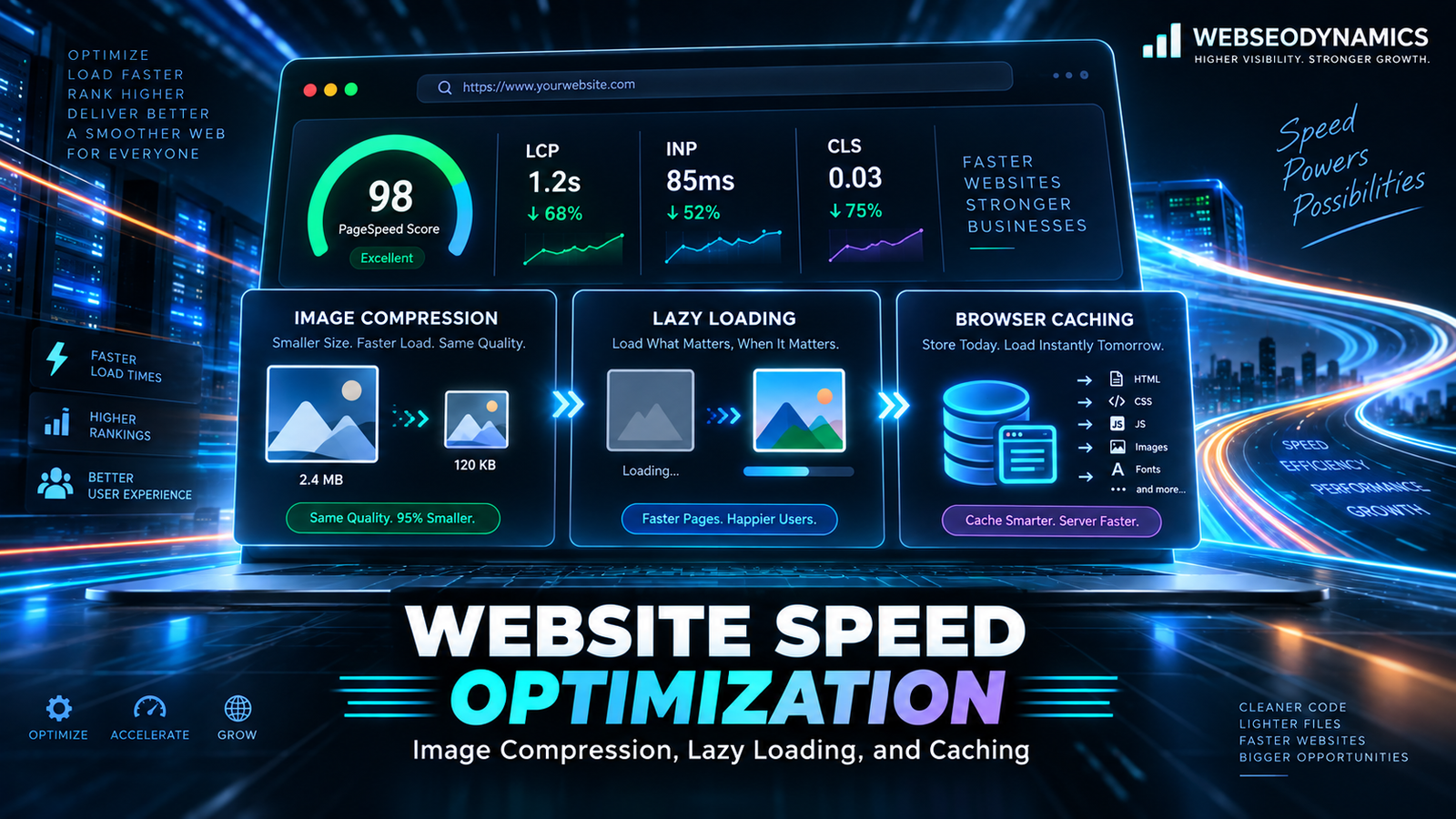
Website Speed Optimization Techniques: Image Compression, Lazy Loading, and Caching
Website speed isn't a nice-to-have polish item saved for the end of a project — it's a direct driver of bounce rate, conversion rate, and search visibility. Studies from Google and independent research consistently show that as page load time increases past two or three seconds, the probability of a visitor abandoning the page climbs sharply. Slow sites don't just frustrate visitors; they actively lose businesses money and rankings.
The good news is that most speed problems on real-world websites trace back to a small set of recurring causes, and fixing them doesn't usually require a full rebuild. This guide focuses on the three techniques that deliver the biggest speed improvements for the least effort: image compression, lazy loading, and caching.
1. Why Website Speed Matters
Speed affects three things businesses actually care about, independent of each other: user experience, conversion rate, and search rankings. A slow page frustrates visitors regardless of how good the content is. Slow load times measurably suppress conversion rates on e-commerce and lead-generation sites — every additional second of delay tends to reduce the odds a visitor completes a purchase or fills out a form. And Google explicitly factors page experience signals, including speed-related Core Web Vitals, into how it evaluates pages for ranking.
Images and unoptimized asset delivery are, in practice, the single largest contributor to page weight on most websites — often accounting for well over half of total page size. That's why image compression and lazy loading are usually the highest-leverage first steps, with caching compounding the benefit for repeat visits.
2. Image Compression
Image compression reduces file size by removing unnecessary data from an image, ideally with minimal or no visible loss in quality. There are two categories worth understanding:
Lossless Compression
Reduces file size without discarding any image data — the decompressed image is pixel-for-pixel identical to the original. Smaller savings, but zero quality trade-off. Good for logos, icons, and graphics with sharp edges or text.
Lossy Compression
Discards some image data that's less perceptible to the human eye, achieving much larger file size reductions. The standard approach for photographs, hero images, and most content imagery where a small quality trade-off is imperceptible in practice.
Practical Compression Guidelines
- Never upload camera-original files directly. A photo straight from a modern phone or camera can easily be 4–8MB — run it through a compression tool before it ever reaches your site.
- Match resolution to actual display size. If an image will display at 800px wide, don't serve a 4000px-wide source file and let CSS scale it down — the browser still downloads the full file.
- Automate compression in your build pipeline. Tools like Squoosh, ImageOptim, or build-step plugins (imagemin, sharp) can compress images automatically as part of deployment, rather than relying on manually remembering to do it for every upload.
- Use quality settings around 70–85% for JPEG/WebP photographs. This range typically produces file sizes 50–80% smaller than an uncompressed original with no perceptible quality loss to most viewers.
// Example: compressing and converting an image with sharp (Node.js)
const sharp = require('sharp');

sharp('input.jpg')
  .resize(1200)
  .webp({ quality: 80 })
  .toFile('output.webp');
3. Responsive Images and Modern Formats
Compression alone isn't enough if you're still serving the same image file to a phone on a small screen and a 27-inch desktop monitor. The `srcset` and `sizes` attributes let the browser choose the most appropriately sized image from a set of options, based on the viewer's actual screen size and pixel density.
<img
  src="/photo-800.jpg"
  srcset="/photo-480.jpg 480w, /photo-800.jpg 800w, /photo-1600.jpg 1600w"
  sizes="(max-width: 600px) 100vw, (max-width: 1000px) 50vw, 800px"
  alt="Team collaborating on a project"
  width="800" height="533"
>

<!-- Modern format with automatic fallback -->
<picture>
  <source srcset="/photo.avif" type="image/avif">
  <source srcset="/photo.webp" type="image/webp">
  <img src="/photo.jpg" alt="Team collaborating on a project">
</picture>
Modern formats like WebP and AVIF typically produce files 25–50% smaller than an equivalent-quality JPEG or PNG. Using the `<picture>` element with fallbacks means browsers that support these newer formats get the smaller file automatically, while older browsers still receive a working image.
4. Lazy Loading
Lazy loading defers loading of off-screen content — most commonly images and iframes — until the user actually scrolls near them. This reduces the initial page weight and speeds up the initial load, since the browser isn't downloading dozens of images the visitor may never scroll far enough to see.
Native Lazy Loading
Modern browsers support native lazy loading with a single HTML attribute, requiring no JavaScript at all:
<img src="/gallery-image.jpg" loading="lazy" alt="Gallery photo" width="600" height="400">

<iframe src="https://example.com/embed" loading="lazy"></iframe>
A Critical Caveat: Never Lazy-Load Your LCP Image
This is one of the most common mistakes teams make once they learn about lazy loading — applying `loading="lazy"` to every single image on the page, including the hero image visible immediately on load. Lazy-loading your Largest Contentful Paint element actively delays it, since the browser now waits to determine whether the image is near the viewport before starting to fetch it. Above-the-fold, immediately visible images should load eagerly (the default), often combined with `fetchpriority="high"` to prioritize them further. Reserve `loading="lazy"` specifically for images and iframes that are genuinely below the fold.
Lazy Loading Beyond Images
The same principle extends to JavaScript and components. Code-splitting a large JavaScript bundle so that non-critical features (a chat widget, a modal that only opens on demand, a below-the-fold interactive chart) load only when needed reduces the amount of code the browser has to parse and execute during the initial page load.
5. Browser and Server Caching
Caching stores a copy of a resource so it doesn't need to be regenerated or re-downloaded on every request. For returning visitors especially, effective caching can be the single biggest speed lever available, since browser-cached assets load instantly from local storage rather than over the network at all.
Browser Caching with Cache-Control Headers
HTTP response headers tell the browser how long it can reuse a downloaded file before checking the server again. Static assets that rarely change — logos, fonts, versioned CSS/JS bundles — should be cached aggressively, often for a year, since a new deployment can simply use a new filename or version parameter to bust the cache when the file actually changes.
# Cache static, versioned assets aggressively
Cache-Control: public, max-age=31536000, immutable

# Revalidate HTML pages more frequently, since content changes
Cache-Control: public, max-age=0, must-revalidate
Server-Side Caching
On the server, caching avoids regenerating the same response repeatedly. This can take several forms depending on your stack:
- Full-page caching: Storing a fully rendered HTML page so subsequent requests for the same URL skip the server-side rendering process entirely, common for content-heavy sites like blogs and marketing pages.
- Database query caching: Storing the results of expensive or frequently repeated database queries (like a homepage product listing) in memory, avoiding redundant database load.
- Object caching: Tools like Redis or Memcached store computed data or session information in fast, in-memory storage rather than recalculating or re-querying it on every request.
6. CDN Caching
A Content Delivery Network (CDN) caches copies of your static assets — images, CSS, JavaScript, and sometimes full pages — across servers distributed geographically around the world. When a visitor requests your site, they're served from the nearest edge location rather than your origin server, which can be thousands of miles away.
Beyond raw geographic latency reduction, CDNs typically also handle compression (gzip/Brotli), HTTP/2 or HTTP/3 delivery, and absorb traffic spikes without overwhelming your origin server. For any business with visitors spread across multiple regions or countries, a CDN is one of the highest-impact, lowest-effort speed investments available — most can be set up in under an hour with minimal configuration changes.
7. Combining These Techniques Effectively
These three techniques compound rather than compete. A typical, well-optimized loading sequence looks like this: the server (aided by a CDN and server-side caching) responds quickly with a lightweight, mostly-cached HTML document; above-the-fold images are compressed, correctly sized, and load immediately without lazy-loading delay; below-the-fold images and non-critical scripts are lazy-loaded, deferring their cost until the user actually scrolls to them; and on a return visit, browser caching means most of this doesn't need to be re-downloaded at all.
The mistake to avoid is treating any one of these as sufficient on its own. Perfect image compression doesn't help if your server takes three seconds to respond in the first place. Aggressive caching doesn't help a first-time visitor who has nothing cached yet. Each technique addresses a different bottleneck, and a genuinely fast site needs all three working together.
8. Tools for Measuring the Results
- PageSpeed Insights: Free, Google-provided testing that flags specific opportunities around image sizing, render-blocking resources, and caching policy, alongside your Core Web Vitals scores.
- WebPageTest: Offers detailed waterfall charts showing exactly when each resource loads, useful for spotting whether images are loading too early, too late, or blocking other critical resources.
- Chrome DevTools Network panel: Lets you inspect real request sizes, caching headers, and timing directly, with the ability to throttle network speed to simulate slower connections.
- GTmetrix: Combines Lighthouse-based scoring with a visual filmstrip of the page loading, making it easy to see exactly what a visitor sees at each point during load.
Frequently Asked Questions
Which of these three techniques gives the biggest speed improvement?
For most sites, image compression delivers the largest first-visit improvement, since images are typically the heaviest part of a page. Caching delivers the largest improvement for return visitors specifically. Lazy loading helps both, but its impact scales with how much below-the-fold content a page actually has.
Will image compression noticeably reduce visual quality?
At sensible quality settings (roughly 70–85% for photographs), most viewers cannot perceive the difference from an uncompressed original, even side by side. Quality loss becomes visible mainly at aggressive settings or with images that have already been compressed multiple times.
Do I need a CDN if my business only serves customers in one country?
The geographic latency benefit is smaller if all your visitors are near your origin server, but CDNs also provide compression, caching, and traffic-spike resilience that are valuable regardless of geography — so it's still generally worth using one even for a geographically concentrated audience.
How often should cached assets be refreshed?
Static, versioned assets (CSS/JS files with a hash in the filename) can be cached for a very long time, often a year, since a new version simply gets a new filename. Content that changes regularly, like HTML pages or API responses, should use much shorter cache durations or revalidation strategies so visitors don't see stale content.
Conclusion
Website speed optimization doesn't require exotic tooling or a full technology rewrite for most businesses — it requires consistently applying a small set of proven techniques. Compress and correctly size every image before it ships. Lazy-load what's below the fold, and never lazy-load what's above it. Cache aggressively at the browser, server, and CDN level so repeat visits are close to instant. Applied together, these three techniques address the overwhelming majority of real-world speed problems, and the payoff shows up directly in bounce rate, conversions, and search performance.
Treat speed as an ongoing habit rather than a one-time cleanup. New images get added, new plugins get installed, and new third-party scripts get embedded over the life of a website, and each one quietly chips away at the gains from a previous optimization pass. Revisiting these three areas periodically — checking that new images are actually compressed, that caching headers haven't been reset by a hosting change, and that lazy loading is still applied correctly to new content — keeps a fast site fast, instead of letting it slowly drift back toward the slow, bloated state it started in.
Is Your Website Losing Visitors to Slow Load Times?
At Webseodynamics, we audit and fix the real bottlenecks — images, caching, and render-blocking code — so your site loads fast for every visitor, not just in a lab test.
Get a Free Consultation Today