Critical CSS and Asset Minification: Speeding Up Render Times
Before a browser can show a single pixel of your page, it has to download, parse, and process CSS and JavaScript files that stand between the raw HTML and the finished, visible layout. Every byte in those files that isn't strictly necessary for that first render is dead weight actively delaying the moment your visitor sees something useful. Critical CSS and asset minification are two of the most effective, well-established techniques for trimming that dead weight.
Unlike image optimization, which most developers understand intuitively, these two techniques operate closer to the browser's internals — the critical rendering path, parser blocking, and bundle composition — which is exactly why they're so often skipped or implemented incorrectly. This guide explains what's actually happening inside the browser, and how to fix the specific bottlenecks these techniques target.
1. The Critical Rendering Path
To understand why critical CSS and minification matter, it helps to understand the sequence a browser follows before it can paint anything to the screen — commonly called the critical rendering path. Roughly: the browser parses HTML into a DOM tree, parses CSS into a CSSOM (CSS Object Model), combines both into a render tree, calculates the layout of every element, and finally paints pixels to the screen.
The critical detail is that CSS is render-blocking by default. The browser will not paint anything until it has finished downloading and parsing all CSS it discovers in the `<head>`, because it doesn't want to paint unstyled content and then immediately repaint it once styles arrive. A large, monolithic stylesheet — even one that mostly contains rules for content the user won't see until they scroll — delays the very first paint of the entire page.
2. What Is Critical CSS?
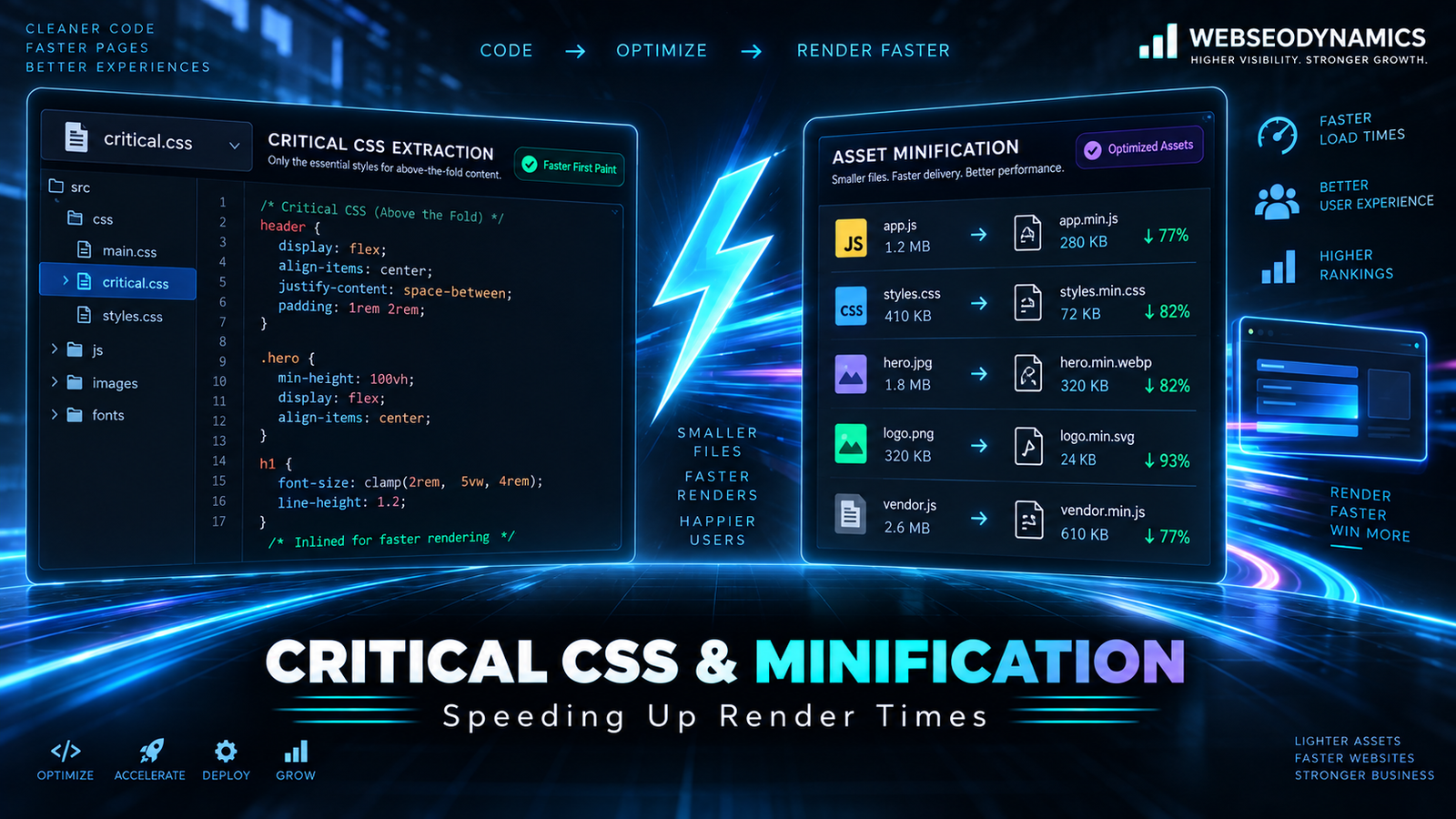
Critical CSS is the subset of your stylesheet needed to correctly render the content visible without scrolling — the "above-the-fold" content — for a given page and viewport size. The technique involves extracting just those rules, inlining them directly in the `<head>` of the HTML document, and loading the remainder of your CSS asynchronously so it doesn't block the initial paint.
Because the critical CSS is inlined directly in the HTML response, the browser doesn't need a separate network round-trip to fetch a stylesheet before it can render the visible portion of the page. This directly improves First Contentful Paint and Largest Contentful Paint, since meaningful, correctly styled content appears as soon as the HTML itself has downloaded.
<head>
  <!-- Critical CSS inlined directly, no network request needed -->
  <style>
    body { margin: 0; font-family: sans-serif; }
    .hero { padding: 40px; background: #1f6fd6; color: white; }
    .hero h1 { font-size: 2rem; margin: 0; }
  </style>

  <!-- Full stylesheet loaded without blocking render -->
  <link rel="preload" href="/styles.css" as="style" onload="this.onload=null;this.rel='stylesheet'">
  <noscript><link rel="stylesheet" href="/styles.css"></noscript>
</head>
3. Implementing Critical CSS
Manually identifying which CSS rules apply to above-the-fold content is tedious and error-prone on any real-world page, so most teams automate the extraction with a build tool rather than doing it by hand:
- Critical (npm package): A widely used Node.js tool that loads a page in a headless browser, determines which CSS rules apply to the visible viewport, and generates the inline critical CSS automatically as part of a build step.
- Framework and CMS plugins: Many static site generators, meta-frameworks (Next.js, Nuxt.js), and CMS platforms (including several WordPress performance plugins) offer built-in or plugin-based critical CSS generation.
- Manual extraction for simple, stable pages: For a small marketing site with few templates, it can be practical to manually identify and hand-write the small set of critical rules, especially if the above-the-fold design rarely changes.
A key consideration: critical CSS is viewport-dependent. What's "above the fold" differs between a phone screen and a wide desktop monitor, so a properly generated critical CSS set often needs to account for multiple viewport sizes, or at minimum be generated against a representative mobile viewport given how much traffic arrives on mobile.
4. Deferring the Rest of Your CSS
Inlining critical CSS only solves half the problem — the remaining, non-critical CSS still needs to load, just without blocking the initial render. The standard pattern uses `<link rel="preload">` combined with an `onload` handler that swaps the `rel` attribute to `stylesheet` once the file has downloaded, as shown in the example above. A `<noscript>` fallback ensures the stylesheet still loads normally for the small number of visitors browsing with JavaScript disabled.
This approach means the browser fetches the full stylesheet in the background without holding up the first paint, then applies it once available — typically resulting in no visible flash of unstyled content, since the critical CSS already covers what's immediately visible.
5. Asset Minification
Minification removes everything from a CSS, JavaScript, or HTML file that exists purely for human readability — whitespace, line breaks, comments, and verbose formatting — without changing how the code actually executes or renders. For JavaScript, more aggressive minifiers also shorten variable and function names, further reducing file size.
/* Before minification */
.button {
  background-color: #1f6fd6;
  padding: 12px 24px;
  border-radius: 6px;
}

.button:hover {
  background-color: #1858ac;
}

/* After minification */
.button{background-color:#1f6fd6;padding:12px 24px;border-radius:6px}.button:hover{background-color:#1858ac}
On real-world stylesheets and scripts, minification alone often reduces file size by 20–40%, purely from removing formatting characters that serve no functional purpose in production. Common tools include:
- Terser: The standard JavaScript minifier used inside most modern build tools (Webpack, Vite, esbuild), handling variable renaming and dead code removal alongside whitespace stripping.
- cssnano / clean-css: CSS minifiers that also merge duplicate rules and shorten color values and other syntax where safe to do so.
- HTMLMinifier: Strips unnecessary whitespace and comments from HTML output, though the gains here are typically smaller than for CSS and JS.
Minification should always be an automated build step, never a manual one-time task — hand-minifying source files makes them unreadable and unmaintainable for future development. The correct workflow keeps readable, well-formatted source files in version control, and generates minified output only at build or deployment time.
6. Bundling, Code Splitting, and Tree Shaking
Minification shrinks individual files, but the bigger structural question is which code ships to the browser at all, and when. Three related concepts matter here:
- Bundling: Combining many small source files into fewer, larger output files, reducing the number of separate network requests a browser needs to make.
- Code splitting: The opposite instinct applied selectively — breaking a large bundle into smaller chunks loaded only when needed, such as the code for a checkout flow that only loads once a user navigates toward checkout, rather than being included in the initial bundle for every visitor.
- Tree shaking: A build-time process that analyzes which exports from a module are actually used, and removes the unused ones from the final bundle entirely — meaning importing one function from a large utility library doesn't necessarily ship the entire library to the browser.
Modern bundlers like Vite, esbuild, and Webpack handle all three automatically to varying degrees, but tree shaking in particular depends on writing ES module syntax (`import`/`export`) rather than older CommonJS patterns (`require`), since static ES module syntax is what allows a bundler to analyze usage at build time with confidence.
7. Compression: Gzip and Brotli
Separate from minification, server-level compression further reduces the size of text-based assets (HTML, CSS, JavaScript, JSON) in transit over the network. Gzip has been the long-standing standard, typically reducing text file sizes by 60–80%. Brotli, a newer compression algorithm developed by Google, generally achieves 15–25% better compression than gzip on the same content and is now supported by all major browsers.
# Nginx example enabling both, letting the browser negotiate
brotli on;
brotli_types text/css application/javascript text/html;

gzip on;
gzip_types text/css application/javascript text/html;
Most CDNs and modern hosting platforms enable one or both of these automatically, but it's worth explicitly verifying — checking the `Content-Encoding` response header in browser dev tools confirms whether compression is actually active, since a misconfigured server can silently serve uncompressed assets without any obvious symptom beyond slower load times.
8. JavaScript and Render Blocking
While CSS blocks rendering, JavaScript blocks HTML parsing by default — when the browser encounters a `<script>` tag without special attributes, it stops parsing the rest of the HTML document until that script has downloaded and executed. The `async` and `defer` attributes change this behavior in different, important ways.
<!-- Blocks HTML parsing until downloaded and executed -->
<script src="/app.js"></script>

<!-- Downloads in parallel, executes immediately when ready
     (may run before HTML parsing finishes; order not guaranteed
     relative to other async scripts) -->
<script src="/analytics.js" async></script>

<!-- Downloads in parallel, executes only after HTML parsing
     completes, in document order -->
<script src="/app.js" defer></script>
As a general rule: use `defer` for your application's own scripts, since execution order and full DOM availability usually matter for app logic. Use `async` for independent, order-agnostic scripts like analytics or ad tags, where it doesn't matter exactly when they run relative to everything else, only that they don't block the page.
9. Common Mistakes
- Inlining too much CSS: Critical CSS should be genuinely minimal. Inlining an entire large stylesheet defeats the purpose and can itself bloat the initial HTML response.
- Generating critical CSS once and never regenerating it: As a page's design changes, stale critical CSS can cause a visible flash when the outdated inline styles are replaced by the full, updated stylesheet. Critical CSS generation should be part of the regular build process, not a one-time manual task.
- Minifying but not compressing, or vice versa: These are complementary, not redundant — minification removes unnecessary characters from the source, while compression further reduces the transmitted bytes. Skipping either leaves meaningful savings on the table.
- Bundling everything into one giant file: While reducing request count matters, an enormous single bundle means users download code for parts of the site they may never visit. Code splitting by route or feature usually beats one monolithic bundle for real-world usage patterns.
- Using `async` where `defer` was actually needed: Because `async` scripts can execute out of order and before the DOM is fully parsed, using it for scripts that depend on DOM elements or execution order can cause intermittent, hard-to-reproduce bugs.
Frequently Asked Questions
Is critical CSS worth the setup effort for a small website?
For a very small site with a lightweight stylesheet already, the gains may be marginal. For sites with larger stylesheets, page builders, or heavier CSS frameworks, critical CSS typically produces a noticeable, measurable improvement in First Contentful Paint and is generally worth the one-time setup, especially since it can be automated as part of the build process rather than maintained manually.
Does minification affect SEO directly?
Not directly, but it contributes to faster page loads and better Core Web Vitals scores, which Google does factor into page experience signals. The SEO benefit is indirect but real, flowing through improved speed rather than minification being evaluated on its own.
Should I use gzip or Brotli?
Use both, if your server or CDN supports it — browsers automatically request Brotli when they support it and fall back to gzip otherwise, so serving both covers the full range of visiting browsers while giving the majority the better Brotli compression ratio.
Will HTTP/2 or HTTP/3 make bundling unnecessary?
HTTP/2 and HTTP/3 reduce the per-request overhead of loading many small files by allowing multiplexed connections, which somewhat reduces the historical argument for bundling purely to cut request count. However, bundling and code splitting still matter for reducing total bytes transferred and for controlling exactly when different parts of your code load, so they remain relevant even on modern HTTP versions.
Conclusion
Critical CSS and asset minification target the part of page loading that's easiest to overlook because it happens before anything visible appears — the browser silently working through CSS parsing and JavaScript execution before the first pixel gets painted. Inlining just enough CSS to render what's visible, deferring the rest, minifying every shipped asset, and compressing everything in transit together attack render-blocking delay from multiple angles at once. None of these techniques require rewriting your application; they require rethinking how your existing assets are delivered — and for most sites, that's a build-process change, not a redesign.
Want Your Site's Render Times Fixed, Not Just Diagnosed?
At Webseodynamics, we implement critical CSS, minification, and compression as part of our performance work — so your pages render fast from the very first byte.
Get a Free Consultation Today